


Table of Contents
Introduction
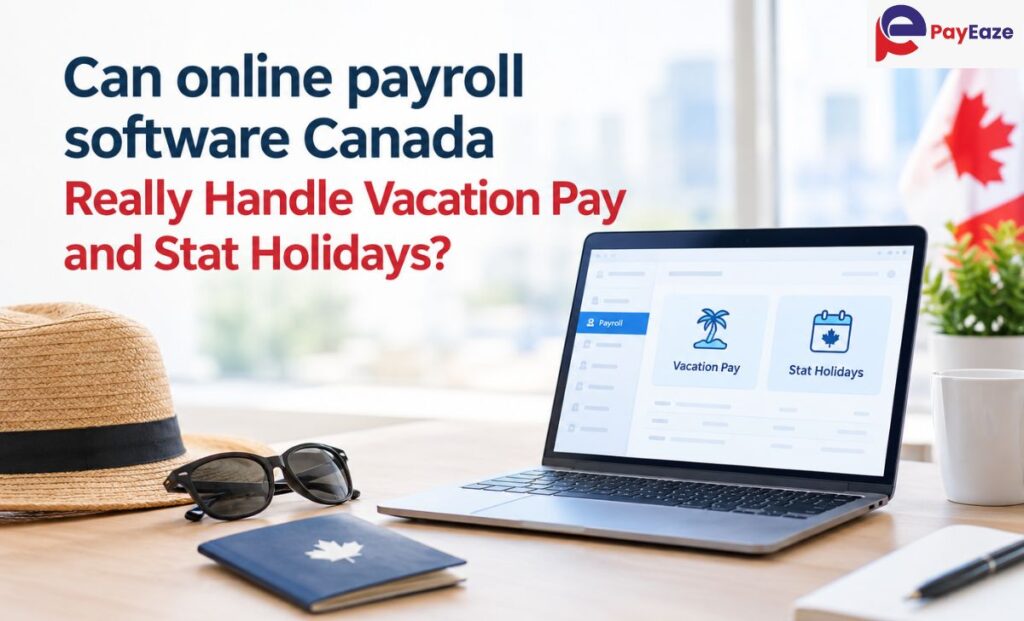
Most payroll mistakes don’t happen on a quiet Tuesday. They happen the week after a long weekend, or right after a staff member resigns, or when someone on irregular shifts asks why her holiday pay looks different from last time. Those are the moments when vacation pay and statutory holidays stop being background details and become the whole job. So when owners ask us whether online payroll software Canada providers offer can truly take over this work, we understand why. Many of them have been burned by a number that looked right and wasn’t. At PayEaze, we deal with these questions daily, and the short version is that good software copes well. The longer version is below.
Why There Is No Single Answer across Canada
Employment standards belong to the provinces and territories, apart from federally regulated industries, which fall under the Canada Labour Code. In practice, a business with a warehouse in Alberta and an office in Ontario follows two different rulebooks for what employees see as the same benefit.
Vacation pay is usually a percentage of gross earnings. Four percent is a common starting point, rising to six after five years in many provinces, though the timing and the definition of earnings differ. Stat holidays vary more still: which days count, who qualifies, and how the payment is calculated when someone’s hours are all over the place.
Employees notice, too. Pay errors rarely stay quiet. A short vacation cheque or a missing holiday payment tends to reach HR within a day, and the fix usually means an adjustment in the next run plus an awkward conversation. Getting it right the first time is cheaper than explaining it afterwards.
One Paycheque, Worked Through
Numbers make this clearer than any explanation. Suppose an Ontario employee earns $1,800 gross over two weeks. At 4 percent, the vacation pay for that period comes to $72. Fine.
Now a public holiday arrives. Ontario generally bases holiday pay on the regular wages and vacation pay earned in the four work weeks before the holiday, divided by 20. A salaried employee gets roughly the same figure each time. A part-timer who did 12 hours one week and 30 the next gets a different one every holiday, and someone has to dig up four weeks of history to find it.
With three part-timers, that’s an annoying hour. With twenty, it’s a lost afternoon, and the odds of a typo climb with every row. Bonuses and commissions add another wrinkle, since many provinces count them as earnings for vacation purposes while a few treat them differently. A system holding wage history in one place, with each earning type flagged once, runs the same formula for everybody in seconds.
Accrue or Pay as You Go?
Employers tend to pick one of two routes. Accrual builds a balance the employee draws on when they take time off. Pay-as-you-go adds a small slice of vacation pay to every cheque. Provinces differ on which is allowed, and a written agreement is sometimes needed.
Trouble comes from confusion, not from either method. Picture an employee who assumes vacation pay arrives in each cheque, then books two weeks off and finds nothing accrued. Choose one method, put it in writing, and make sure the payroll setup matches from day one.
The Holiday That Lands on Vacation
Say someone books the first week of July and Canada Day sits on Tuesday. Is it a holiday, a vacation day, or a day with a substitute? That depends on the province and on what your own policy says.
Use this as a quick test of any tool. Ask what happens when a holiday falls inside approved leave. If the reply is that you fix it manually, you’ve found the gap before it cost you anything.
When Someone Leaves
Exits get less planning than they deserve. Unused accrued vacation pay is generally owed on departure, many provinces set deadlines for final pay, and a Record of Employment needs correct hours and earnings so the person can claim benefits without waiting.
If balances, hours and earnings live in separate files, final pay becomes detective work. Kept in one record, the numbers agree with each other and you can show the employee exactly how the total came together.
What to Look For
When you compare online payroll software Canada options, check for:
- Vacation and holiday rules that follow the employee’s province
- Accrual balances that update with every pay run
- A holiday calendar that spots overlaps with approved leave
- Vacation pay taxed as ordinary income, with CPP and EI applied
- Reports that show how each figure was reached
Then ask for a demo using your own awkward case, such as the part-timer or the mid-vacation holiday. A tidy sample proves little. Your messiest employee proves a lot. Ask, too, who updates the rules when a province changes its minimums, and how quickly.
Setup Is Where Things Slip
Rarely is the calculation itself at fault. More often an employee is tagged to the wrong province, or a start date is typed incorrectly and the five-year mark moves by months. Or the company grants three weeks, above the legal minimum, and nobody records it.
Software applies what it’s told. It can’t pick up a policy that lives only in someone’s memory. Spending a few minutes per employee at onboarding to confirm province, start date, entitlement and accrual method saves a great deal of correcting later. Even the strongest online payroll software Canada has to offer depends on accurate starting data.
Where PayEaze Comes In
PayEaze is a payroll and attendance management provider for businesses in Canada. Our payroll management solution keeps pay runs, employee records and attendance in one system, so the hours behind a vacation accrual or a holiday payment come from the same place as the pay. Less re-typing means fewer chances for an error.
Clients tell us they value consistent records, a pay run that doesn’t need babysitting, and payroll that holds up as the team grows. Whether you have five employees in one province or a team spread across several, the PayEaze team can walk you through how your policies would be set up. It’s the same care we bring to every online payroll software Canada setup.
Conclusion
Yes, once the setup is right. Vacation pay and holiday pay follow rules, and applying rules the same way every time is what software is good at. The judgment stays with you: your vacation policy, approving leave, and reading the numbers before they go out. Requirements change, so check with your provincial employment standards office now and then.
Pick a provider that is province-aware, open about its calculations and easy to audit. Done well, online payroll software Canada employers rely on takes two of payroll’s most tedious jobs and makes them routine. PayEaze is ready to help you get there.